
Squarespace
NEW PUBLICATION DATEPICKER
Easily manage publication dates with the enhanced Publication datepicker for Squarespace. This tool streamlines the process by providing month and year views, saving you time when updating dates far in the future or past.
Perfect for migrating content, changing blog post order, or importing content from other platforms, and now available for both Blog and Event status dialogs.
Avis de janvier 2026 : Squarespace released blog datepicker control, we released a patch to keep the this plugin working.
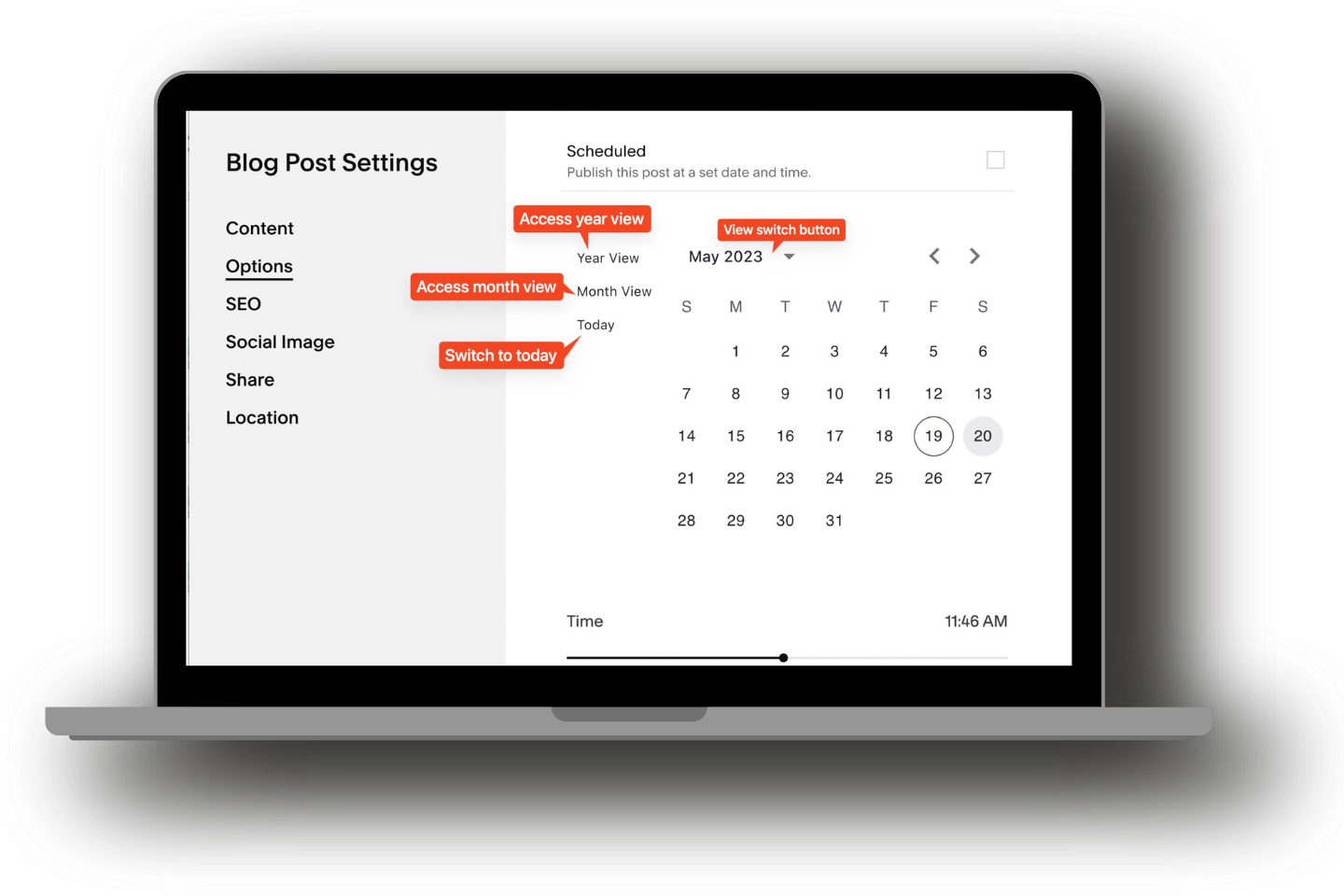
Comment ça marche
Sélecteur de date de publication est facilement activé et géré via Contrôle au sol.
Voici comment commencer :
Installez Ground Control et accédez au Boîte à outils section.
Trouvez le Sélecteur de date de publication option dans la boîte à outils.
Faites basculer l'interrupteur sur ACTIVÉ pour activer le plugin.
The new Calendar picker now can be accessible in Blog Post and Event Settings, allow you to edit the publish date of events as well! Now it can be found on
Blog post Status dialog
Event Status dialog
Event Start and End time dialog
Source: christyprice.com


Foire aux questions
-
Yes, you can backdate the publish date of your blog posts or events. Simply select the desired past date using the Datepicker in the blog post or event settings. This allows you to set a publication date earlier than the current date, helping you organize and schedule content as needed.
-
Non, ce plugin n'est pas affilié à Squarespace. Il s'agit d'un outil tiers développé pour améliorer les fonctionnalités de la plateforme.
Explorez plus de plugins payants de Beyondspace